As of today I know of two firmware versions for the Alfawise EKEN V50 Pro:
How do I back up the firmware?
First, download the archive right here and find the file named backup.sh in it. Once you've copied the firmware dump script to the card (there's no need to format the card), enable Telnet.
How to enable telnet
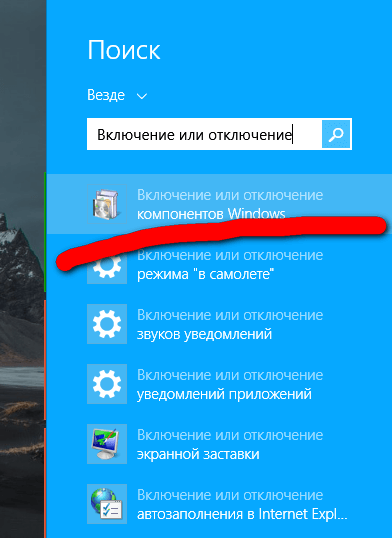
On Windows (mine is 8.1) click Start and type "Turn Windows features on or off" in the search box (the first three words are enough, the system will show all matching results, see the screenshot).
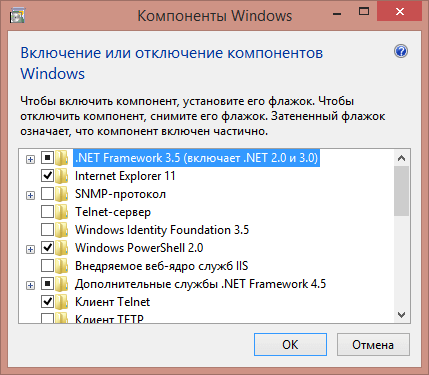
In the window that opens, tick the box next to the item you need (the Telnet client), click OK and wait for the system to finish installing.
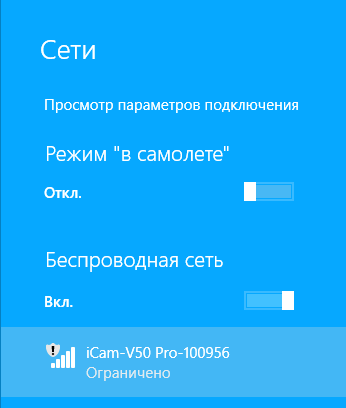
After that, turn on the camera, press the WIFI button on it, open the list of available connections, find your camera there and click "connect".
Next, press Win+R to open the "Run" window, type cmd and press Enter.
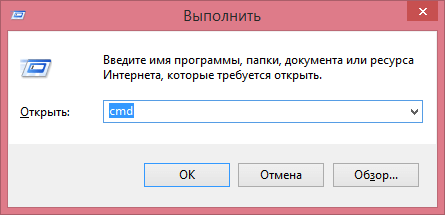
In the window that appears, type telnet 192.168.42.1 (or whatever IP address your camera has) and press Enter. It asks for a login (enter root), press Enter, and once you're in, type the following:
sh /tmp/SD0/backup.sh
The process has started: the firmware is being dumped to the card and archived. It all takes about ten minutes, after which a message appears saying the process is finished and you can disconnect everything.
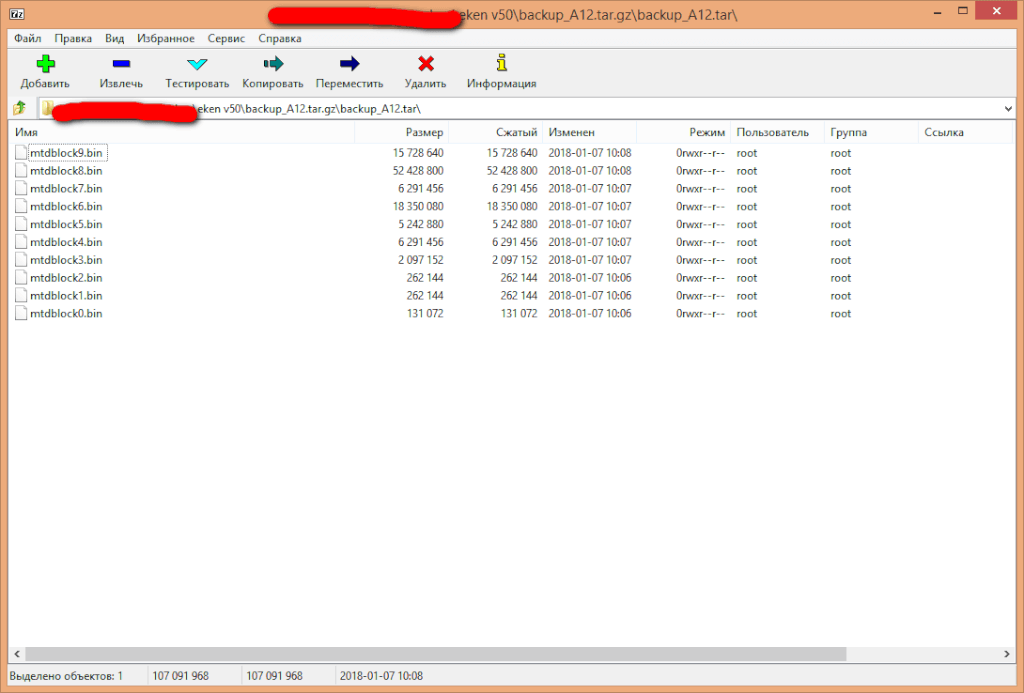
The firmware is on your card, in the root folder, and the file is named something like backup_A12.tar.gz. It's an archive within an archive, and inside it you'll find something like this:
Enjoy!
As for how to flash the firmware backup back into the camera, that's a different story altogether.