Every motorcyclist sooner or later thinks about buying a helmet headset, even if they ride alone. And if they ride with a passenger or in a group, a headset is simply a must. Of course, over a hundred years motorcyclists have come up with a heap of signals with hands, feet and headlights, for practically every occasion in life, but it's far more convenient to just say out loud: "guys, let's stop at this lookout, look what a gorgeous view!" And Google's voice prompts "turn right in five hundred meters" are far more useful to a motorcycle traveler than a navigator mounted on the handlebar, which you have to look at instead of looking at the road and around you.
So at the start of last season, when I decided to ride to the sea on my motorcycle, I thought about a headset. First I read about the thoroughly inhumane Scala Rider. A headset priced like a helmet, even if it's the undisputed market leader, didn't work for me. I had to wade through thousands of pages of foreign forums and hundreds of video reviews of Chinese headsets before I found a truly worthwhile alternative, in some ways even better than the Scala.
Meet the exceptionally well-made and functional motorcycle helmet headset Dimton BlueRider M1-s. Dimton is the developer and manufacturer, and the headset is more often sold under the brands Fodsports, Enklov, Bibene and others.
A bit more detail on the BlueRider M1-S headset's specifications (the correct name is M1-S, not Mi-S).
This isn't just cool, it's very cool. In terms of power consumption 4.1 beats earlier versions a hundredfold. It was the fourth branch of Bluetooth that made fitness trackers and other devices that run for months on a single charge possible. But besides power consumption, this version also increases range, up to 100 meters, and data transfer speed.
Qualcomm® cVc™ noise cancellation technology provides advanced sound enhancement and noise suppression, plus protection against data packet loss and error correction. Besides protecting the transmission channel, cVc includes a set of algorithms for improving speech intelligibility. At present it is cVc that gives the best phone call quality for Bluetooth headsets.
These abbreviations say the device supports the standard hands-free and wireless headphone protocols, high-quality stereo audio streaming, and the paired-device control protocol (answering a call, skipping back and forward, picking the next song and so on).
Overall, the speakers are not a critical element: if you like, you can easily buy your favorite speakers and solder them in place of the originals in 10 minutes. But from my own experience I can say the stock speakers play well, and a thickness of just 4.9 mm lets you fit them in a helmet without audio preparation. Speakers like these are in Panasonic RP-HF300 headphones, whose frequency range is 10 Hz - 25 kHz.
Without exaggeration, these are excellent specifications.
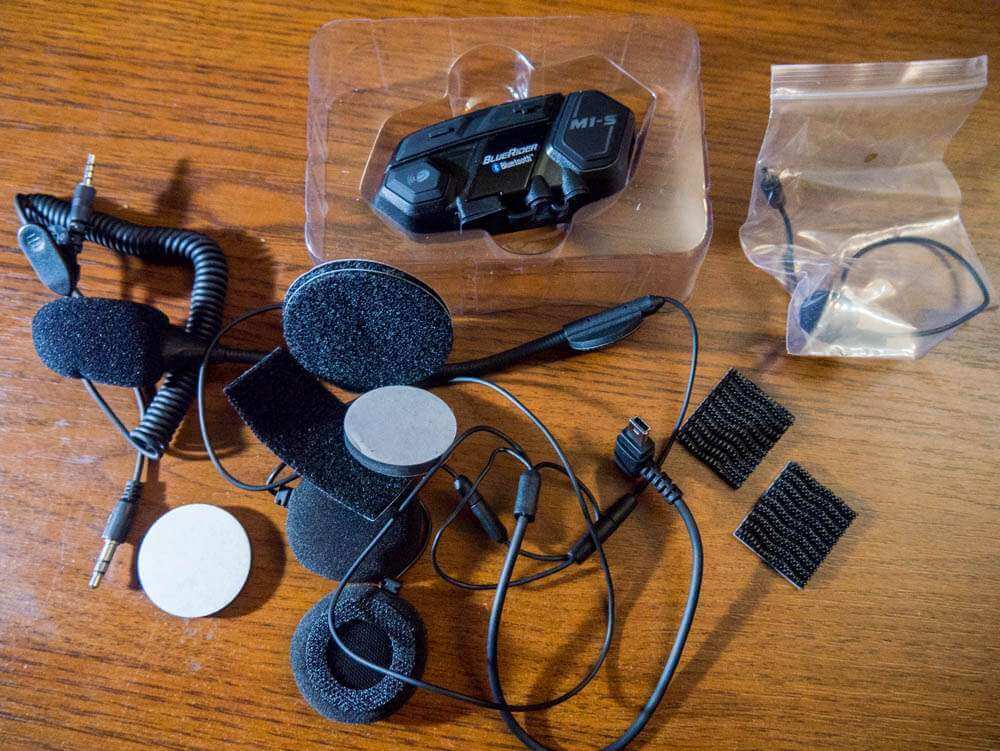
The headset comes in three versions, M1-S and M1-S EVO. The first comes with a quick-release 3M Dual Lock mount (2 pcs) and is meant for people who have two helmets. The mount looks like ordinary Velcro, made of many orderly plastic hooks that hold the device securely on the helmet. The M1-S EVO attaches to the helmet with a metal bracket. There are no other differences between the M1-S and M1-S EVO. It arrives in a white box of thick cardboard.
I decided to install the headset in a Bell Revolver modular helmet with audio preparation, but installing it in an ordinary helmet is practically no different.
First, work out where your ears are inside the helmet, then remove the helmet liner and stick the Velcro on in those places. It's very important that the center of the speaker sits opposite the ear canal, so you don't have to complain about quiet sound later. In my helmet the speaker pocket is a couple of centimeters bigger than the speaker itself, and I glued the right and left speakers at different heights and was unpleasantly surprised that the right and left channels played at different volumes. Then I figured out what was wrong, re-glued them and got excellent sound.
On the glued base you need to install the speakers and route the wires. The wires should lead to the left side of the helmet, where you'll then install the headset.
After routing the wires from the speakers, it's time to install the microphone. To make the job easier, I took off the helmet's chin bar (as a reminder, mine is modular) and degreased the spot for the microphone. The manufacturer recommends placing the microphone opposite the lips, but I chose a spot closer to the left cheek. There's no need to put the microphone in the dampest spot inside the helmet; it's sensitive enough for the person on the other end to hear me perfectly. To fix the microphone wire further, I made a little loop from cellophane and fastened it with the screw that holds the helmet's inner panel. You could skip this, but it's more reliable.
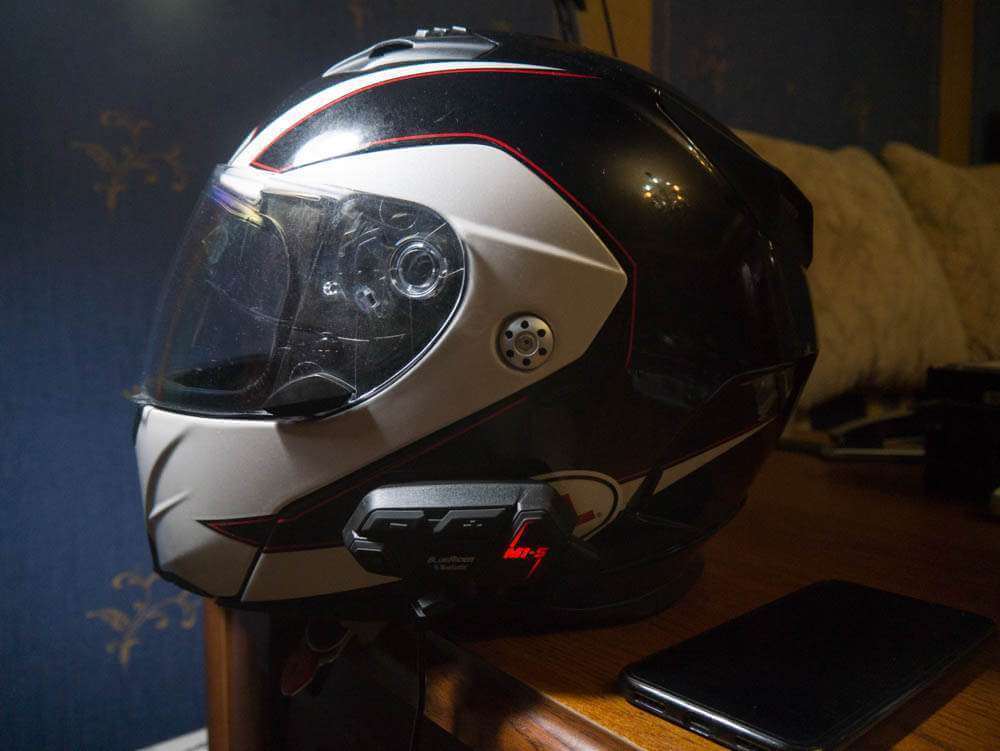
We put the chin bar back on the helmet. All that's left is to choose a spot for mounting the headset itself. Put the helmet liner back in place, put the helmet on and touch the lower side part with your left hand. The spot that's easiest to reach will be the headset's mounting place. Mark it with a marker, take off the helmet and try the headset against that spot. If it sits well against the helmet, degrease the spot and stick the Dual Lock on it. If it isn't quite flat, shift the headset a couple of millimeters or rotate it a couple of degrees clockwise or counterclockwise. The back of the headset is curved so as to sit perfectly against the surface of any helmet.
And that's it. All that's left is to bring the wires out from under the liner and connect them to the headset, and then you can pair your phone. In the phone settings the headset is called BlueRider M1-S, and pairing happens without asking for a PIN.
On AliExpress, of course.
I found contradictory reviews online, like "you can't hear anything above a hundred" or "not enough bass", but this negativity doesn't relate to this particular headset model. For decent bass you need to install the speakers properly, which I wrote about above. And if your helmet is noisy, no headset will be audible above a hundred; that's not the headset's problem, just buy yourself a decent helmet, dude.
No nails, no traffic cops, everyone!
First you need to download the latest firmware. The firmware for BlueRider M1-S / M1-S EVO / M1 / M1 EVO headsets is universal; go to the English page http://www.dimton.com/eng/downloads.html, pick the newest one and download the archive. The archive contains an installer file named "BlueRider M1-S & M1 v1.x_DIMTN_English_version.exe".
If you want voice prompts in Chinese, you can choose the Chinese version, but that's an acquired taste.
Now connect the headset to the computer with the charging cable, either a USB 2.0 or USB 3.0 port, it doesn't matter. Put the headset into firmware mode. To do that, hold down the "Function" button (the biggest one) and "Volume -" at the same time for a few seconds until it flashes blue.
Run the downloaded file, agree to the installer's offers, agree to installing Microsoft Visual C++, after which a DOS box will open prompting you to press a key to continue. When you press a key, the HidDfuCmd.exe loader (part of Qualcomm's CSR BlueSuite) will flash the new firmware to your headset. The whole procedure takes about 5 minutes. Enjoy.
Since I couldn't find a Russian manual online, I had to translate it myself.
Click to view: download the Russian manual as a PDF for the Blueraider M1 and M1-S.


Прокомментируйте: