When I was young and naive, I enjoyed life and didn't understand why the guys with big cameras on photo forums cursed "camera shake", a mythical thing for me, the owner of a "digital point-and-shoot". Then I bought a DSLR (I have a now-ancient Canon 1000D) and tried shooting at long (and relatively long) exposures, and met camera shake in person, but instead of venting my anger on forums I started looking for a way to solve the problem (after filing the first dreadful shots into a folder called "never shoot like this again!").
There's really just one solution: a sturdy tripod and a remote control for the camera shutter (in the manufacturer's terms, a "remote switch"). I have two such remotes: one I bought I don't even remember in what year or country, and the second was ordered fairly recently on AliExpress. I'll tell you about both.
I'll start with the older one.
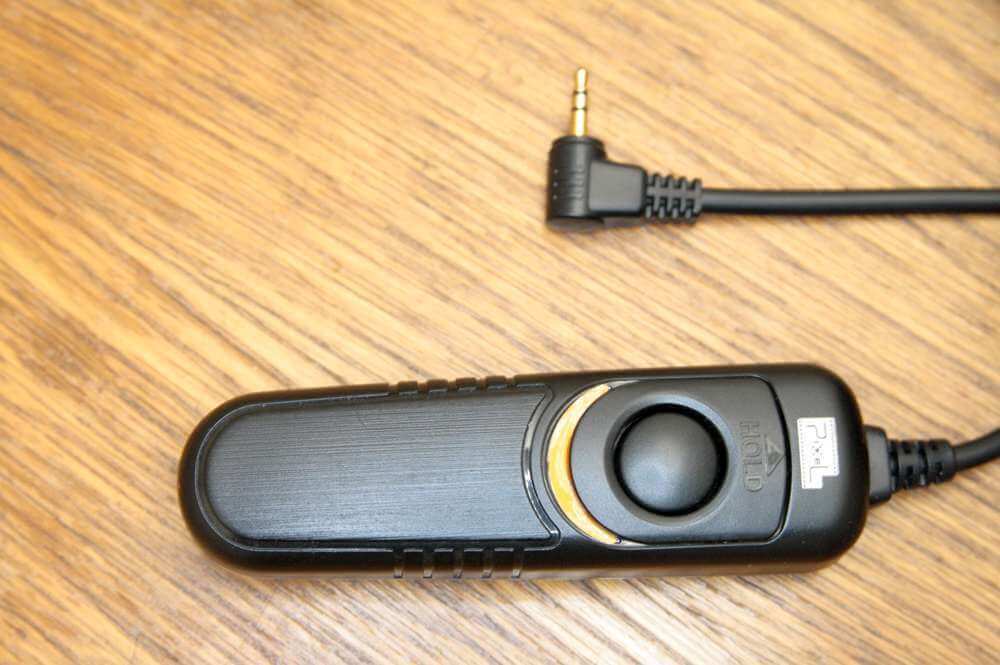
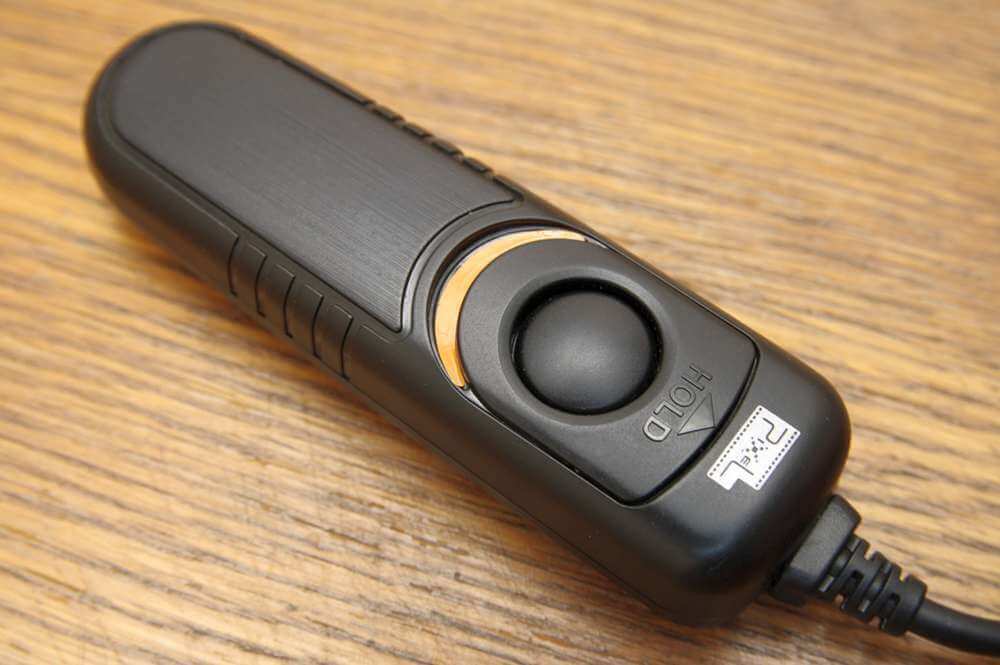
In terms of design minimalism this remote can compete with a cast iron kettlebell, and is about equal to it in functionality: one button has three and a half positions:
1. "off" (nothing happens, the camera is on standby);
2. "half-pressed": the camera autofocuses (if the lens allows it) and meters the exposure;
3. "fully pressed" (a shot is taken): you don't need to keep the button pressed while the exposure runs, unless the camera is in burst mode;
3.5. "fully pressed and locked" (the exposure will last until the photographer moves the button to the "off" position). This mode works when the camera is in M ("manual") mode and the shutter speed is set to "bulb" (the exposure lasts while the shutter button is held). That the button is locked is shown by a colored mark on the front of the remote (see the photo).
Overall the remote makes a good impression: small, practically weightless, sits well in the hand, has a finger recess on the back, needs no power source, the halves of the plastic case are fitted tightly together, the cord is a meter long. In short, an excellent universal thing that removes the effect of the photographer's finger on the camera, indispensable for still-life or landscape shooting. With this remote I've taken a ton of beautiful (technically speaking) photos over eight years. I can hardly remember a single downside of this thing functionally, so apparently that's why the remote is still popular with photographers today; you can buy it through this link.
Summary in one line: for indoor still-life or macro photography you can't find anything better.
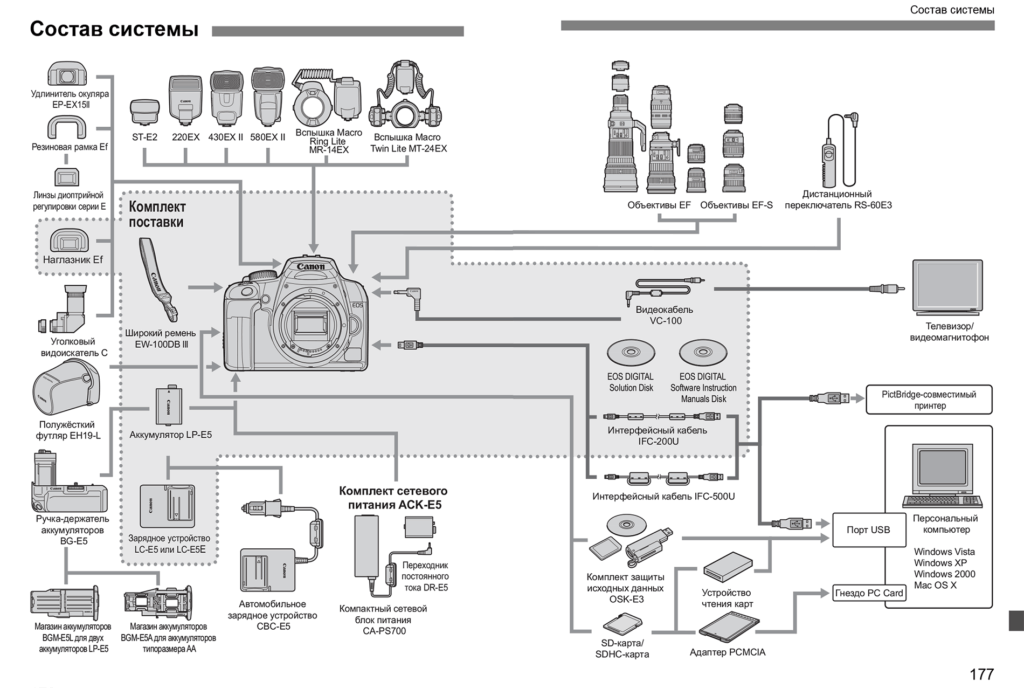
A short but important digression is needed here: camera makers equip cameras of different classes with incompatible connectors (I won't explain why that's done, but I'll look toward the marketers with disapproval). Peripherals from professional cameras (shutter remotes, power adapters, boosters, viewfinder attachments and so on) won't fit amateur cameras (or, as they're called abroad, cameras "for photo enthusiasts"). But for cameras within the same price range, all these things can fit different models. For example, the remote on offer fits the Canon 500D 450D 700D 650D 550D 60D 600d 1000d 1100d. You can also open the user manual for your particular camera, look at the table of compatible accessories and search AliExpress (for example) by the original accessory's code.
Here, look: a spread of the user manual for my camera, where each accessory has its own code:
For remotes for my camera model it's the RS-60E3. For your camera (whether it's a Nikon, Panasonic, Sony or another that can connect external devices) you can similarly find a suitable remote, or some other component.
The main advantage of this remote over the previous one is that it's programmable. That means I can set a delay before shooting starts, the exposure for each frame, the interval between frames and the number of frames. Not clear?
Here's how it looks in practice: I arrive in nature in the evening and set the remote's parameters: "start shooting in six hours, exposure five seconds, take a frame every thirty seconds, take 360 frames in all". All that's left is to put the camera on a tripod, compose the shot, plug in the programmed remote, press "start", crawl into the tent and go to sleep. In the morning a series of frames will be waiting for me, from which you can stitch a gorgeous little sunrise time-lapse video in 4K. Like this one, for example:
But first things first. The remote was bought here.
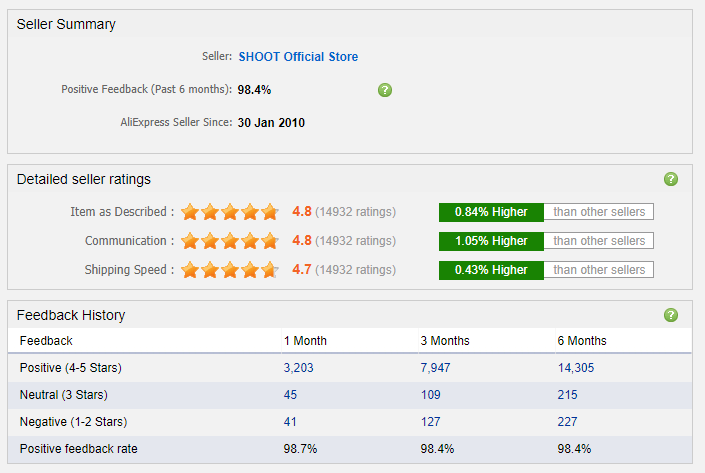
Why this remote and this seller? First, the seller has been trading on Ali for nine years and has a solid reputation. Second, their goods are branded (some assurance of quality, however modest), and third, the seller doesn't charge extra for the brand (compared with Pixel, say): for clone remotes this seller's price is lower. Now about the remote itself: it's clear it's made at some no-name factory, and logos are applied and retail packaging added at wholesalers' request, so they're all functionally identical (the remote's design changes slightly for variety), and I chose based on price and the seller's reputation.
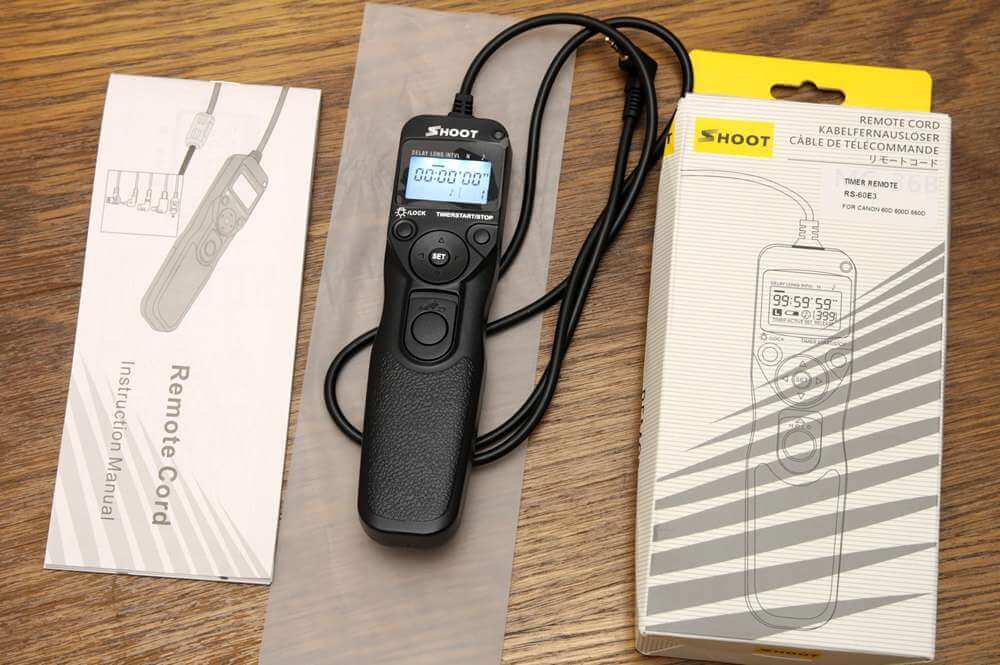
The parcel held a retail box in the usual form for parcels from China, with someone having stepped on it while it flew in from the other half of the globe. Inside the box, wrapped in bubble wrap, was an antistatic bag with the remote and a manual in Chinese and English (with a pile of errors and typos). The print quality is decent, with glossy, thick paper and neat printing. A sticker on the box covers the factory's marking of the remote, MC-36b. I searched Ali: with this code they offer exactly the same remotes, but with a YONGNUO logo. At twice the price, and on other sites even more. If you keep searching on Google, you'll see that these remotes in exactly the same form factor and with the same functions were once sold under the Nikon brand, but even used they cost three times as much as mine.
The SHOOT is about one and a half times larger than the Pixel, but not much heavier (without batteries), sits comfortably in the hand and has a good grip (finger recesses on the sides); the control buttons are easy to reach with the thumb, and they click confidently.
Technical specifications table:
| Supported cameras | Depends on the plug type (pay attention when ordering and check against the matching connector on your camera) |
| Start delay | From 0 s to 99 h 59 min 59 s in 1 s steps |
| Exposure | From 0 s to 99 h 59 min 59 s in 1 s steps |
| Interval | From 1 s to 99 h 59 min 59 s in 1 s steps |
| Number of shots | From 1 to 399 (unlimited at the -- position) |
| Power source | Two 1.5 V cells (AAA size) |
| Battery life | About two months in burst mode with a 5 minute start delay, 4 min 56 s exposure and 5 minute interval. Leaving the screen backlight on shortens battery life |
| Operating temperature range | -20 … +50 degrees Celsius |
| Dimensions | Approx. 160 x 40 x 20 mm (excluding protruding parts) |
| Weight | 90 g (without batteries) |
| Cord length | 90 cm |
A note on camera compatibility: as a rule, on Ali you can find a remote with a plug for a particular camera (a particular range of cameras), but some versions have a provision for fitting the needed adapter between the remote's cable and the camera's connector.
Here is the same kind of remote with adapters, and here are adapters from it to various cameras. If necessary, consult the seller!
So as not to retype the whole manual, I'll briefly go through the control buttons:
The central round block, shaped like a joystick: press left/right, and the line under the labels on the screen shows which parameter can be set. Press SET to enter the settings. Whatever is being set at the moment blinks. The up/down buttons change the value. Another press of SET confirms the entry. You can also, without pressing SET on each menu item, cycle through all the settings (from delay to number of shots) and only then confirm everything with one key press.
bulb/lock: a short press turns the screen backlight on for 6 seconds, and each press of another button extends the backlight time by another six seconds. A long press locks the set values against changes (the letter L lights up on the display)
timerstart/stop: starting the configured program and stopping it early.
The shutter release button with a lock sends a signal to the camera to fire the shutter when pressed. On a long press (or when pressed and locked) an indicator light comes on, a beep sounds (unless it's disabled in the menu), and the display counts the time elapsed since the exposure began.
Interestingly, this remote can work with no batteries at all, but without delay, exposure and interval settings. In short, the same as the Pixel remote described above.
Now the downsides and shortcomings:
That's really all. If you're tired of cables, you could consider, for example, this wireless clone. For the 1000D the version with the C1 plug fits.
Wishing you good shooting experiences, and don't forget to share your photos in the comments!
Above I described the main settings, and once you've got to know them you can head out shooting. For all the (few remaining) subtleties there's a manual for the Shoot RS-60E3 and its clone YONGNUO MC-36b, in Russian, here it is.


Прокомментируйте: