To install this adapter, your car's head unit must have an audio input. Almost any head unit made after 2000 has this function. If there's no AUX input, the Bluetooth button can be connected to the audio input of a CD changer or to the audio jack of a phone headset.
The button itself goes in place of a decorative blank that almost certainly covers one of the factory sockets meant for a function your car doesn't have. In my own car there were no ESP and ASC off buttons; in place of one blank went a switch for the work lights, and in place of the other, Bluetooth. That way the car didn't end up with crude-looking switches, dangling wires and other hackery.
Below I'll list some car makes for which a Bluetooth adapter in the form of a factory button is made, with a link to the purchase page where you'll find the full list of compatible models:
For many European cars the manufacturers provided Bluetooth modules that connect to the factory head unit, but the dealer will charge a hefty sum for installing one in a base-model car. These modules are easy to buy on AliExpress for a perfectly reasonable sum, around 15 dollars, for example:
I won't list all the makes; I'll just say that on this page you'll find Bluetooth modules for Mercedes-Benz, Porsche, BMW, Renault, FIAT, Alfa-Romeo and others. That's not the point of this article.
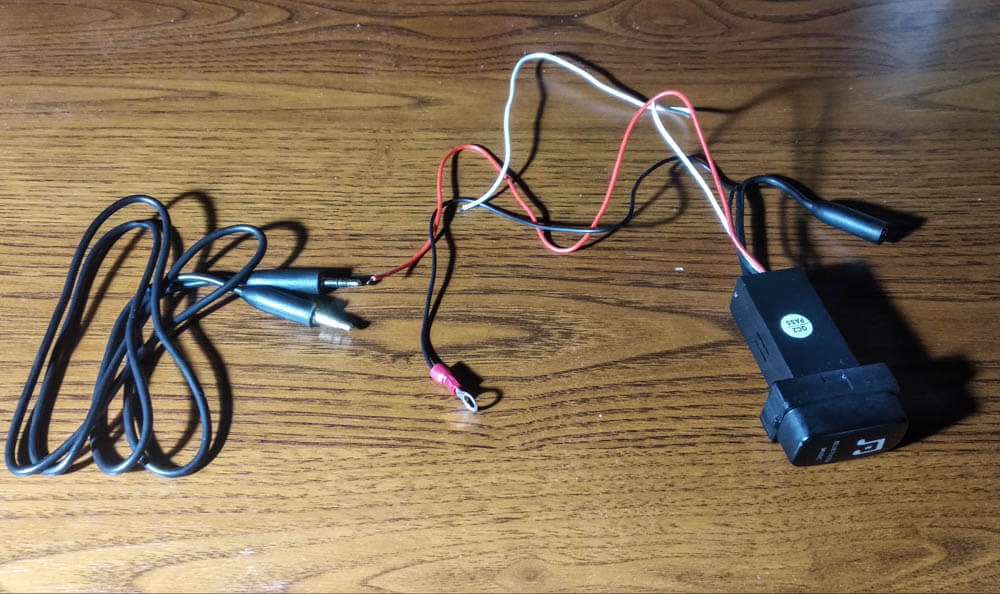
Let's see how to connect the adapter, what's in the box and what's inside.
Let me repeat that there are a million Bluetooth adapters on the market. But I put this particular one in my car because it's made in the factory style of my vehicle. The car gained a new function without my having to saw or cut anything, with no dangling wires and no gadgets sticking out of the cigarette lighter.
As soon as I received and unpacked the parcel, I checked the adapter right away. The Bluetooth label's backlight is blue, and when pairing with a phone the "notes" light up red. Pairing happens after you press the "notes"; the button is touch-sensitive, so there's no need to press hard. After the button is pressed, the red backlight starts flashing and the voice assistant says "Ready to pairing", and after connection "Pairing complete".
At rest the device draws only 0.006A, and while playing 0.011A.
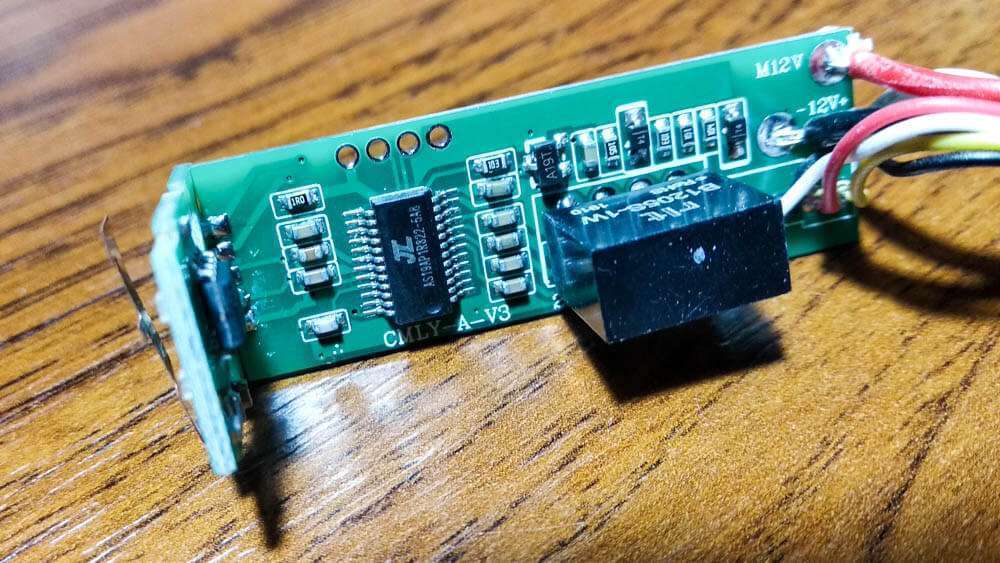
Naturally, I took the device apart and found out what components it's built on. The heart of the Bluetooth input is a chip made by Zhuhai Jieli Technology Co Ltd, the JL AS19AP 1R322, which belongs to the Jerry AC690N series.
I'd have preferred a solution based on a Qualcomm chip with AptX, but what is, is. Yes, Qualcomm is at the forefront of the Bluetooth community, developing the latest chips with ideal sound quality, but Zhuhai Jieli has sold more than 4 billion Bluetooth chips in its 17 years of existence, which is also a measure. The stated signal-to-noise ratio is 80dB, not bad, with 2.1EDR + BLE4.2 support; all in all, a normal chip.
My impression of the device is quite positive. It connects easily, plays music from the phone, and the Google assistant and navigator speak right through the speakers.
One small button that does a big useful job.
I described the pinout of the Rockford connector and how to connect an external input in the article about installing a USB input in a Mitsubishi Pajero. Plug it in, and may music be with you!


Прокомментируйте: