
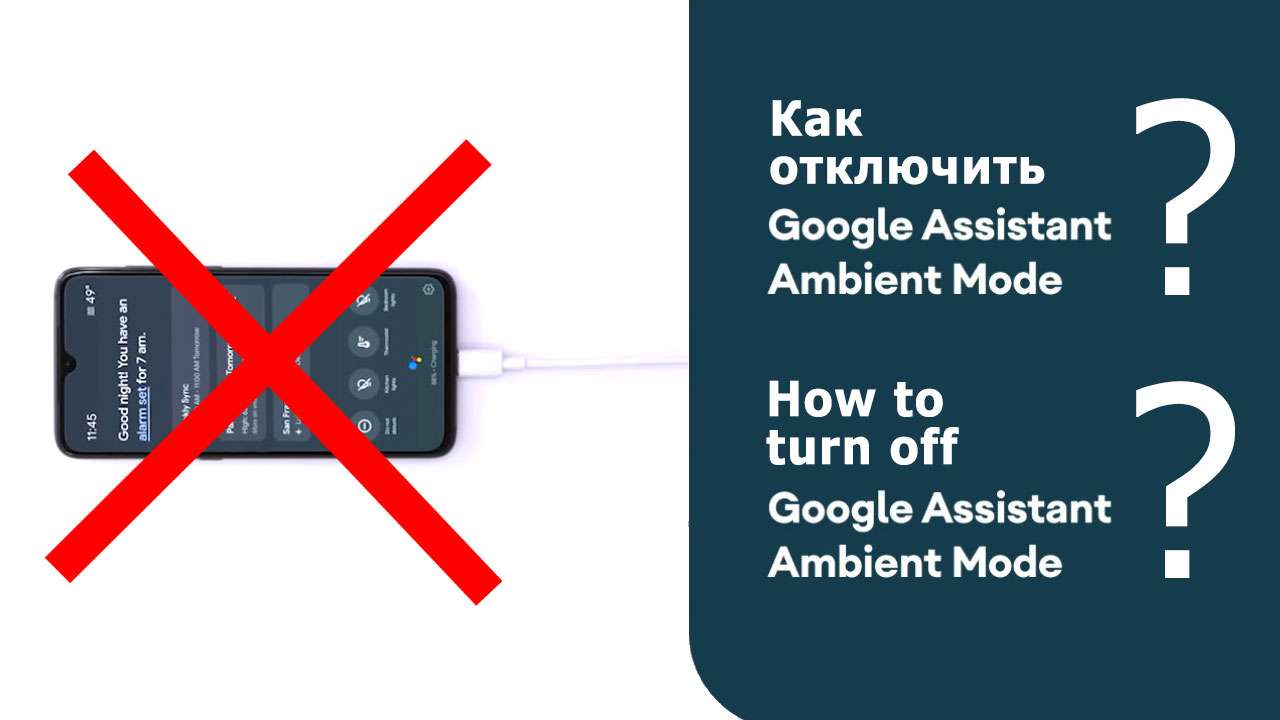
Turning off Ambient mode on Android and MIUI devices
A couple of months ago Google offered to turn on Ambient mode for me, saying it's a useful feature that can conveniently show the information you need while charging, and that if anything, you can easily turn it off in the settings.
Easily?!
The feature is, to put it mildly, controversial. First, when it's on, you can't unlock the phone; you first have to swipe the Ambient mode screen away somewhere. Second, if you charge your phone in the car, a constantly lit screen will distract you. Third, there's no important information worth showing on a switched-off screen. There's no point in reading news headlines or the weather forecast non-stop. Still, if you're reading this note, you probably understand that yourself already.
So how do you turn off Ambient mode?
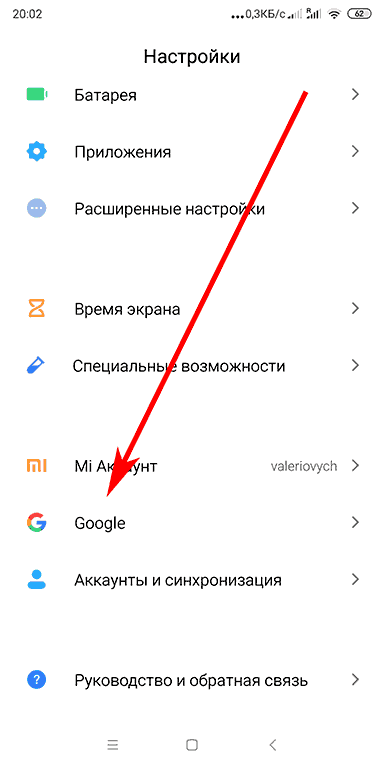
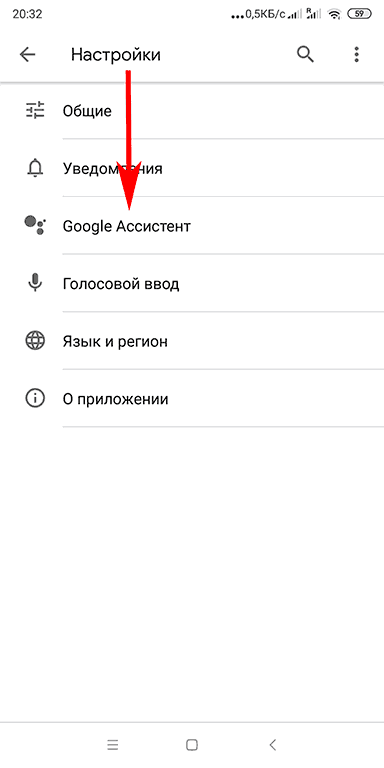
- Open the Google app or the Google news feed and go to "Settings". You can also open Google through the system settings: Accounts, Google.
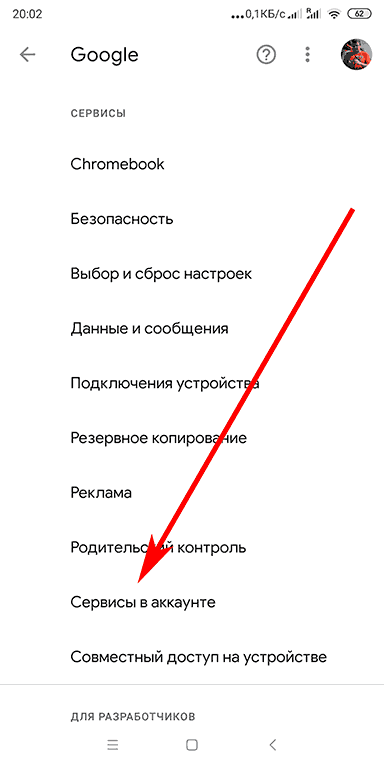
2. Choose "Services in your account".
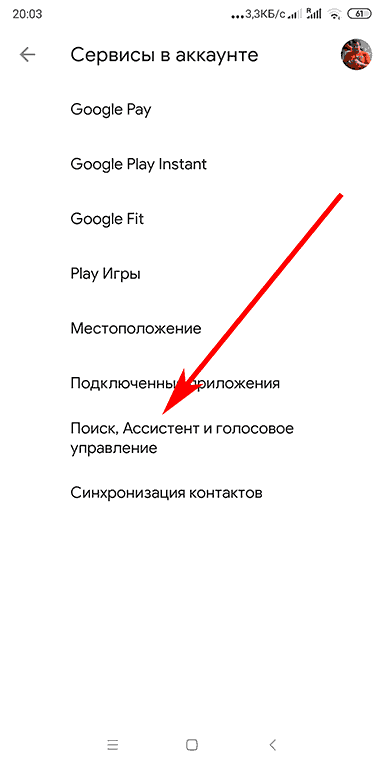
3. Search, Assistant & Voice.
4. Google Assistant.
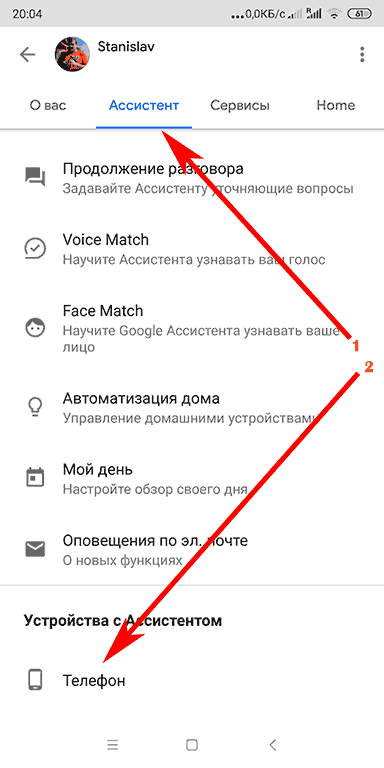
5. Go to the Assistant tab, find "Assistant devices" and choose "Phone".
6. In the "Personalization" section, turn off Ambient mode.
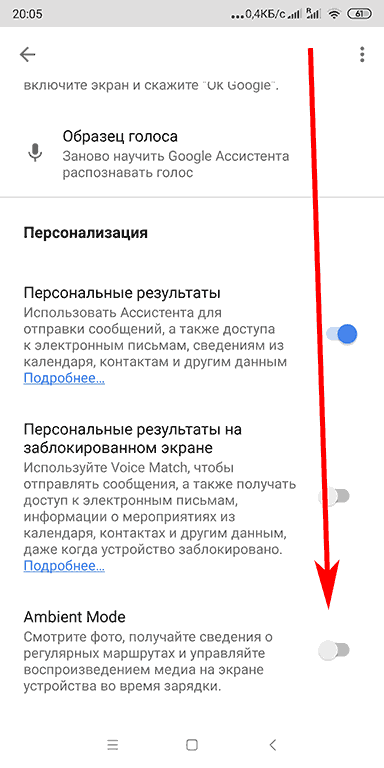
That's it, Ambient mode won't bother you any more. All the best!