Online time-lapse calculator
What a time-lapse is and how it works
To begin with, what is time-lapse shooting, or, as it used to be called, Zeitraffer shooting? In normal mode a camera captures a certain number of frames per second of natural time, that is, the time we live in and feel. My
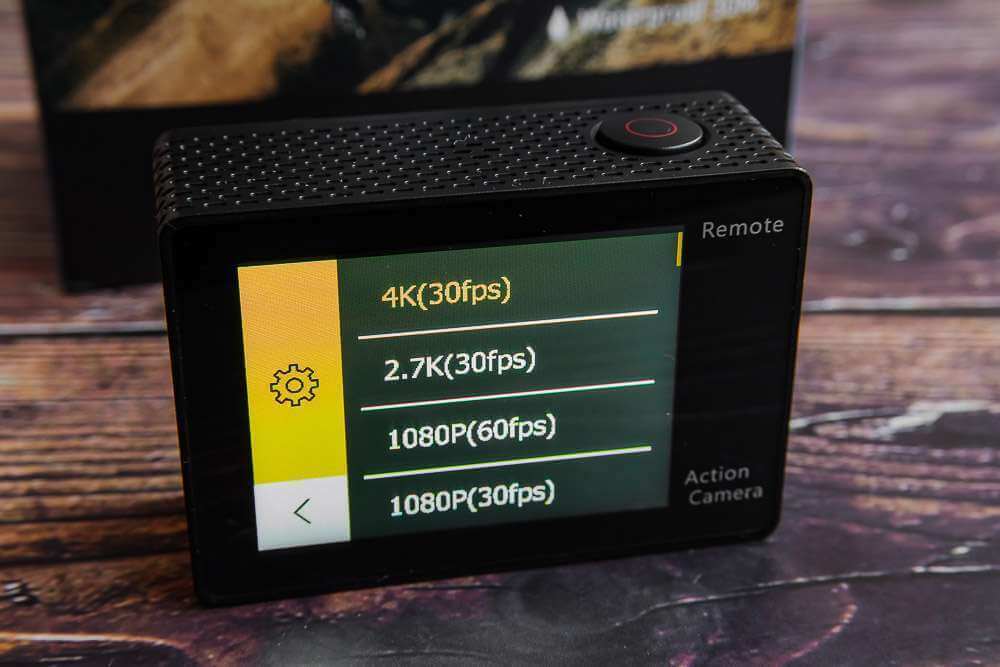
Eken Alfawise can shoot (depending on resolution, that is, frame size) in two different modes: 30 frames per second and 60 frames per second (of real time, of course). The more frames per second a video has, the smoother and less "choppy" the transition between frames, and the easier it is for the brain to perceive these series of pictures as a single continuous process. If you wonder which is better, 60 or 30 frames per second, I'll mention that for almost a hundred years film was shot at 24 frames per second.
So, a time-lapse builds a second of video from the same, say, thirty frames, but taken not in real time and instead with a certain gap between them. So if you set TL Video 1 sec in the settings, the camera takes a frame every second; once it has gathered thirty frames in the buffer, it creates 1 second of video (30 seconds of real time pass), and a one-minute time-lapse clip will contain 60x30=1800 frames, which took (1 frame every second) 1800 seconds to shoot, that is, 30 minutes of real time.
If you shoot a time-lapse with TL Video 2 sec, a one-minute clip will be shot in one hour of real time. Accordingly, the longer the interval between frames in a time-lapse, the more real time it takes to shoot. I'll attach a table below, and it shows that a one-hour clip at one frame per minute takes 1800 hours to shoot. That's 75 days, in case you wondered.
| time-lapse frame every …sec |
total time-lapse video length, minutes | |||||||||||
| 1 | 2 | 3 | 4 | 5 | 10 | 15 | 20 | 25 | 30 | 45 | 60 | |
| 0.5 | 0:15:00 | 0:30:00 | 0:45:00 | 1:00:00 | 1:15:00 | 2:30:00 | 3:45:00 | 5:00:00 | 6:15:00 | 7:30:00 | 11:15:00 | 15:00:00 |
| 1 | 0:30:00 | 1:00:00 | 1:30:00 | 2:00:00 | 2:30:00 | 5:00:00 | 7:30:00 | 10:00:00 | 12:30:00 | 15:00:00 | 22:30:00 | 30:00:00 |
| 2 | 1:00:00 | 2:00:00 | 3:00:00 | 4:00:00 | 5:00:00 | 10:00:00 | 15:00:00 | 20:00:00 | 25:00:00 | 30:00:00 | 45:00:00 | 60:00:00 |
| 3 | 1:30:00 | 3:00:00 | 4:30:00 | 6:00:00 | 7:30:00 | 15:00:00 | 22:30:00 | 30:00:00 | 37:30:00 | 45:00:00 | 67:30:00 | 90:00:00 |
| 4 | 2:00:00 | 4:00:00 | 6:00:00 | 8:00:00 | 10:00:00 | 20:00:00 | 30:00:00 | 40:00:00 | 50:00:00 | 60:00:00 | 90:00:00 | 120:00:00 |
| 5 | 2:30:00 | 5:00:00 | 7:30:00 | 10:00:00 | 12:30:00 | 25:00:00 | 37:30:00 | 50:00:00 | 62:30:00 | 75:00:00 | 112:30:00 | 150:00:00 |
| 10 | 5:00:00 | 10:00:00 | 15:00:00 | 20:00:00 | 25:00:00 | 50:00:00 | 75:00:00 | 100:00:00 | 125:00:00 | 150:00:00 | 225:00:00 | 300:00:00 |
| 15 | 7:30:00 | 15:00:00 | 22:30:00 | 30:00:00 | 37:30:00 | 75:00:00 | 112:30:00 | 150:00:00 | 187:30:00 | 225:00:00 | 337:30:00 | 450:00:00 |
| 20 | 10:00:00 | 20:00:00 | 30:00:00 | 40:00:00 | 50:00:00 | 100:00:00 | 150:00:00 | 200:00:00 | 250:00:00 | 300:00:00 | 450:00:00 | 600:00:00 |
| 30 | 15:00:00 | 30:00:00 | 45:00:00 | 60:00:00 | 75:00:00 | 150:00:00 | 225:00:00 | 300:00:00 | 375:00:00 | 450:00:00 | 675:00:00 | 900:00:00 |
| 60 | 30:00:00 | 60:00:00 | 90:00:00 | 120:00:00 | 150:00:00 | 300:00:00 | 450:00:00 | 600:00:00 | 750:00:00 | 900:00:00 | 1350:00:00 | 1800:00:00 |
(note on the tables: at the intersection of video length and interval is the time in hh:mm:ss format; 25:00:00 is a full day and one more hour of real time)
The table also shows that there are pairs of identical amounts of shooting time.
For example: in an hour of shooting, the "frame every two seconds" mode gives you a minute of video. And the same shooting time in "frame per second" mode gives you two minutes of video. In other words, the less often the camera takes frames, the faster the picture on screen changes.
Below is another table, for shooting modes at 60 frames/sec (that's the 1080@60p and 720@60p video quality settings).
| time-lapse frame every …sec |
total time-lapse video length, minutes | |||||||||||
| 1 | 2 | 3 | 4 | 5 | 10 | 15 | 20 | 25 | 30 | 45 | 60 | |
| 0.5 | 0:30:00 | 1:00:00 | 1:30:00 | 2:00:00 | 2:30:00 | 5:00:00 | 7:30:00 | 10:00:00 | 12:30:00 | 15:00:00 | 22:30:00 | 30:00:00 |
| 1 | 1:00:00 | 2:00:00 | 3:00:00 | 4:00:00 | 5:00:00 | 10:00:00 | 15:00:00 | 20:00:00 | 25:00:00 | 30:00:00 | 45:00:00 | 60:00:00 |
| 2 | 2:00:00 | 4:00:00 | 6:00:00 | 8:00:00 | 10:00:00 | 20:00:00 | 30:00:00 | 40:00:00 | 50:00:00 | 60:00:00 | 90:00:00 | 120:00:00 |
| 3 | 3:00:00 | 6:00:00 | 9:00:00 | 12:00:00 | 15:00:00 | 30:00:00 | 45:00:00 | 60:00:00 | 75:00:00 | 90:00:00 | 135:00:00 | 180:00:00 |
| 4 | 4:00:00 | 8:00:00 | 12:00:00 | 16:00:00 | 20:00:00 | 40:00:00 | 60:00:00 | 80:00:00 | 100:00:00 | 120:00:00 | 180:00:00 | 240:00:00 |
| 5 | 5:00:00 | 10:00:00 | 15:00:00 | 20:00:00 | 25:00:00 | 50:00:00 | 75:00:00 | 100:00:00 | 125:00:00 | 150:00:00 | 225:00:00 | 300:00:00 |
| 10 | 10:00:00 | 20:00:00 | 30:00:00 | 40:00:00 | 50:00:00 | 100:00:00 | 150:00:00 | 200:00:00 | 250:00:00 | 300:00:00 | 450:00:00 | 600:00:00 |
| 15 | 15:00:00 | 30:00:00 | 45:00:00 | 60:00:00 | 75:00:00 | 150:00:00 | 225:00:00 | 300:00:00 | 375:00:00 | 450:00:00 | 675:00:00 | 900:00:00 |
| 20 | 20:00:00 | 40:00:00 | 60:00:00 | 80:00:00 | 100:00:00 | 200:00:00 | 300:00:00 | 400:00:00 | 500:00:00 | 600:00:00 | 900:00:00 | 1200:00:00 |
| 30 | 30:00:00 | 60:00:00 | 90:00:00 | 120:00:00 | 150:00:00 | 300:00:00 | 450:00:00 | 600:00:00 | 750:00:00 | 900:00:00 | 1350:00:00 | 1800:00:00 |
| 60 | 60:00:00 | 120:00:00 | 180:00:00 | 240:00:00 | 300:00:00 | 600:00:00 | 900:00:00 | 1200:00:00 | 1500:00:00 | 1800:00:00 | 2700:00:00 | 3600:00:00 |
As you can see, a one-hour clip at 1 frame/minute takes five months to shoot. If you decide to shoot at such settings, stock up on power banks, food, water and warm clothes. And don't forget to leave links to your time-lapse video in the comments!
Here is an example of a time-lapse clip I shot (rate of one frame per 500ms, that is, a frame every half second. Fifteen minutes in wind and cold. If I'd had this table before I started shooting, I honestly don't know whether I'd have shot it).
How to install the time-lapse calculator on your site
You can install the time-lapse calculator on your own site. To do that, copy the following lines and paste them into your site code, right where you want it to appear:
<div id="timelapse"></div>

<script src="//tripchit.com/calc/timelapse.js" async></script>
The code runs asynchronously and does not affect your page load time.
And now about slow-mo (slow motion), video shooting with a slowing effect
This is a somewhat different shooting technique, in which recording runs at an increased number of frames per second.
Let me remind you that action cameras usually run at about 30 frames per second (though that's not an exact value: it's usually a bit under thirty, to avoid syncing with the flicker of lamps powered by alternating current at 50 hertz. Roughly speaking, at the moment when the alternating current changes direction in the wires, the light source has time to cool a little and shines less brightly. So when the moment the current reverses and the light is dimmest coincides with the exposure of a frame, the frame is underexposed (the camera sensor receives less light), that is, it comes out dark. That produces a "flicker effect", which is why, for example, video shot indoors under artificial light (say, from incandescent bulbs) will blink. That is the result of the AC frequency syncing with the frame rate).
At this frame rate your brain perceives the sequence of pictures changing on the screen as a natural, continuous process of motion. But what happens if we capture the "natural flow of time" at double the frames per second? Or with four times as many frames as necessary? If your device has the codec needed to play a clip shot this way, by and large nothing happens, except that the transition from frame to frame within a second gets smoother, so the overall perception of the scene seems more "fluid" and "natural". But the surplus of frames per second can be stretched in real time to an acceptable minimum: from one second of video stream at 120 fps you can make 4 seconds at 30 fps without hurting the perception of continuous motion. That is, in 120 fps video you perceive motion as continuous (rather than a set of rapidly changing still frames), and in 30 fps video you also see continuous motion. With just one difference: if you slow the frame rate from 120 to 30, the speed of motion in the frame drops four times. That is the "slow-motion effect", or slow-mo, as it's usually called now.
Some modern smartphones can achieve this effect, and action cameras often have such a setting too. If yours doesn't, shoot video at 60 frames/sec (or 120 frames/sec if your camera can), then play it back at 0.5 speed (or 0.25 if you shot 120 frames/sec), or use software to convert the frame rate to "normal".
And slow-mo video happiness will be yours. Don't forget to share it in the comments.